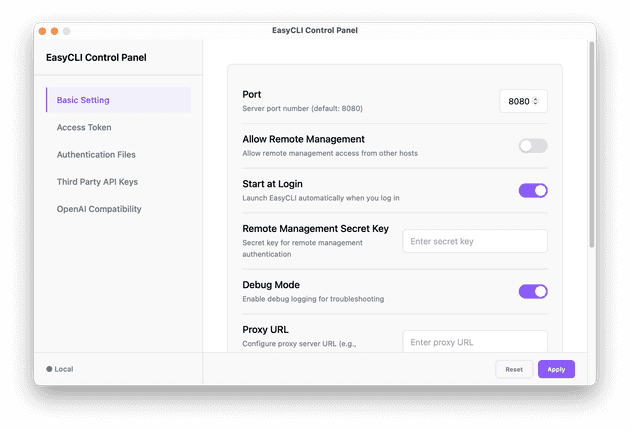
Paying for Claude Pro/Max but want to use it with AI coding tools like Cline or Continue? These tools typically require API keys, meaning separate billing. CLIProxyAPI solves this by exposing your Claude subscription as an OpenAI-compatible API endpoint.
What is CLIProxyAPI?
CLIProxyAPI is an open-source proxy that wraps OAuth-based CLI tools and exposes them as standard APIs. It also supports Gemini CLI, OpenAI Codex, and Qwen Code.
Benefits:
- Use your flat-rate subscription instead of pay-per-token API pricing
- Connect to any tool that supports custom API endpoints (BYOK)
- Run locally with no external dependencies
Setup Guide
1. Install
brew tap router-for-me/tap
brew install cliproxyapi
2. Authenticate with Claude
cliproxyapi --claude-loginLog in via the browser popup. Tokens are saved to ~/.cli-proxy-api/.
3. Create Configuration
mkdir -p ~/.cli-proxy-api
cat > ~/.cli-proxy-api/config.yaml << 'EOF'
port: 8317
remote-management:
  allow-remote: false
  secret-key: ""
auth-dir: "~/.cli-proxy-api"
auth:
  providers: []
debug: false
EOF
Important:
auth.providers: []disables API key validation so OAuth tokens are used instead.
4. Start the Proxy
brew services start cliproxyapi
# Or manually: cliproxyapi --config ~/.cli-proxy-api/config.yaml
5. Test
➜  ~ curl -X POST http://127.0.0.1:8317/v1/chat/completions \
  -H "Content-Type: application/json" \
  -H "Authorization: Bearer claude_api_key" \
  -d '{
    "model": "claude-sonnet-4-5-20250929",
    "messages": [
      { "role": "user", "content": "Say hello from CLIProxyAPI" }
    ]
  }'
{"id":"msg_019dLCQUey7CybfwQxrNbUM7","object":"chat.completion","created":1766293600,"model":"claude-sonnet-4-5-20250929","choices":[{"index":0,"message":{"role":"assistant","content":"Hello! 👋 I'm Claude Code, speaking to you through CLIProxyAPI. \n\nI'm Anthropic's official CLI assistant, ready to help you with coding tasks, file operations, command execution, and more - all from your terminal. How can I assist you today?"},"finish_reason":"stop"}],"usage":{"prompt_tokens":29,"completion_tokens":65,"total_tokens":94}}
You can see the endpoint is responding as Anthropic’s official CLI assistant, indicating that the request is routed through Claude Code CLI.
Using with BYOK Tools
Configure any compatible tool with:
| Setting | Value |
|---|---|
| API Base URL | http://localhost:8317/v1 |
| API Key | dummy |
| Model | claude-sonnet-4-5-20250929 |
You can choose other models from Claude here.
Troubleshooting
- Invalid API key → Ensure
auth.providers: []is in config.yaml - Model not found → Use dated model names (e.g.,
claude-sonnet-4-20250514) - Re-authenticate → Run
cliproxyapi --claude-loginto refresh tokens
